
Projects
A Project groups the work belonging to one initiative, so the integrations behind it — and
the mappings and data types they use — can be found, reviewed and monitored in one place.
Projects don't change how anything runs. An integration behaves identically whether or not
it belongs to a project. What projects give you is a working view: "show me everything
involved in the Epic ADT feed, and how it ran last night."
When to use a project
Create one per real-world piece of work — a go-live, a customer, a data feed, a migration.
Typical examples:
- Epic ADT Feed — the interface, the integration that processes each message, the
mappings it calls, and the app instance it writes to - Nightly Lab Results Load — the scheduled integration, its data processor job, and the
crosswalks it references - Castle Rock Migration — everything built for a one-time backload
Creating a project
- Go to Connect → Projects.
- Select New Project.
- Give the project a Name and a Description. Descriptions are worth writing —
they're what makes a project list readable six months later. - Save.
Adding resources
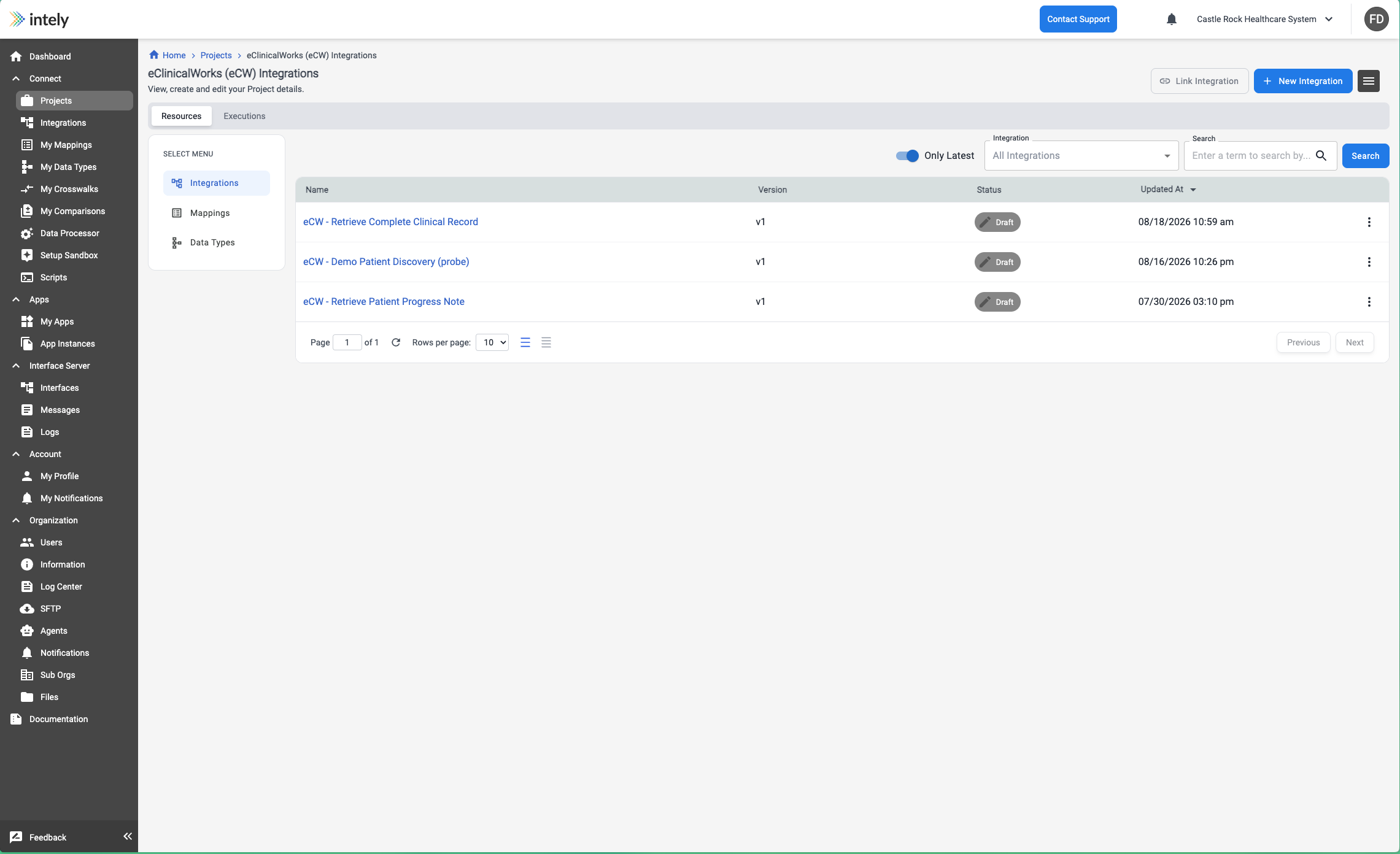
A project holds three kinds of resource. On the Resources tab, the SELECT MENU switches
between them:
- Integrations
- Mappings
- Data Types
Each is added explicitly, and the two buttons follow whichever type you are viewing — Link
Integration and New Integration while viewing integrations, Link Mapping and New
Mapping while viewing mappings, and so on. Link attaches something that already exists;
New creates it inside the project.
Nothing is pulled in automatically. A project shows what you have added to it, so an
integration's mappings do not appear until you link them as well.
Each row shows the resource's Name, Version, Status and when it was last updated.
The Only Latest toggle hides older versions, and the view can be searched.
Monitoring a project
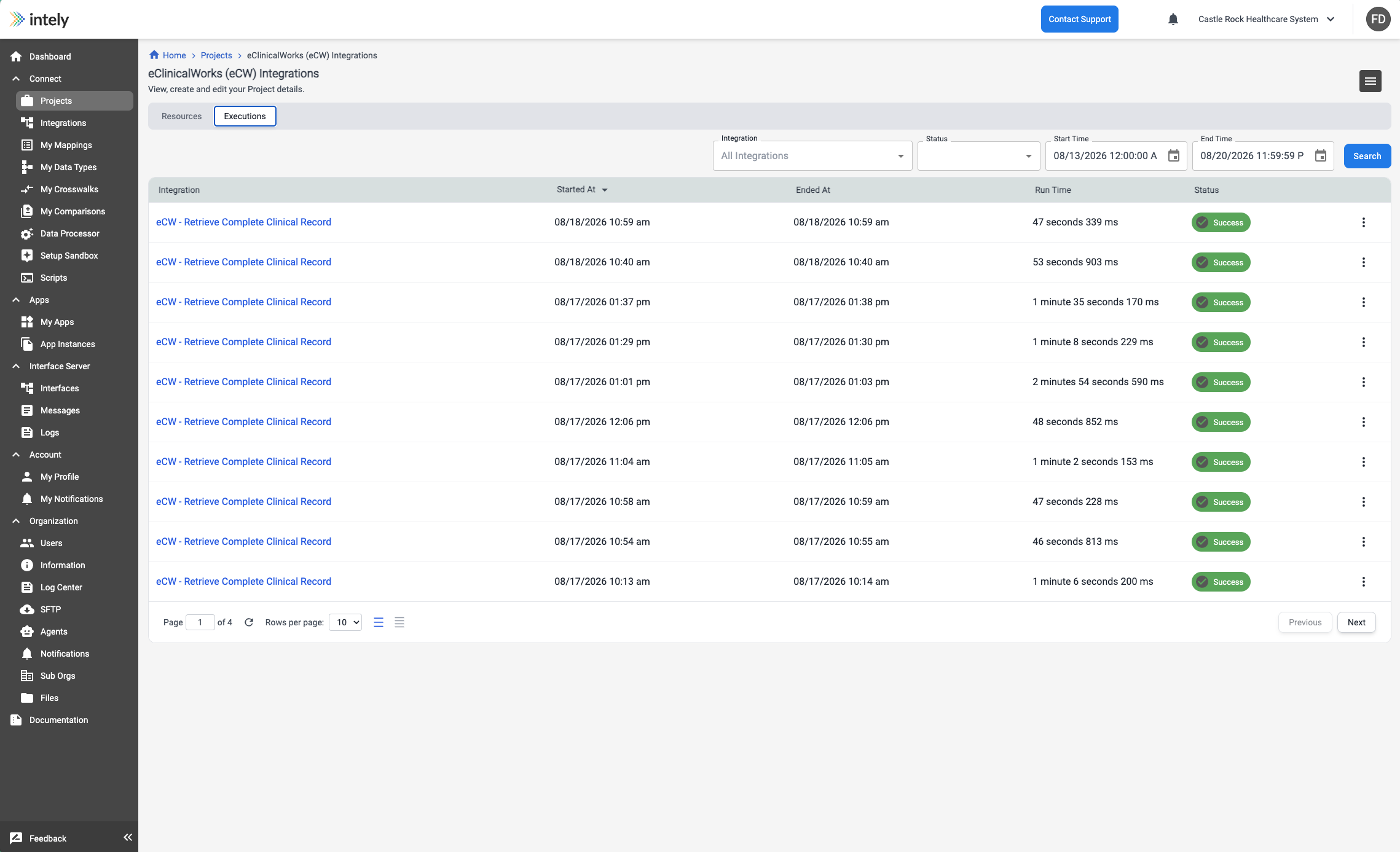
Opening a project shows its resources plus recent integration executions for the
integrations inside it, with Status, Started At, Ended At and Run Time, and a
link through to the execution log. A run still in progress can be terminated from here. This is
the fastest way to answer "did last night's feed run?" without filtering the global executions
list.
Deleting a project
Deleting a project removes the grouping only. The integrations, mappings and other
resources inside it are not deleted and continue to run.
Deletion is not exposed as an undo in the interface, so treat it as final — but because the
resources themselves survive, recreating the project and re-adding them loses nothing but the
grouping.
Updated 2 months ago