
Agent Jobs
An Agent Job is a unit of work assigned to one agent. Each job has a type, a connection
configuration, an output configuration, and a trigger.
Job types
Database Query
Runs a SQL query against a database the agent can reach.
- Drivers: MySQL, PostgreSQL, SQL Server, ODBC
- Connection: host + port + database name + credentials, or a full connection string.
For ODBC you can instead point at a DSN already configured on the agent machine. - SSL mode: defaults to the secure setting for the driver. Set to
disableonly if you
have a specific reason. - Query: the SQL to run.
API Request
Calls an HTTP endpoint the agent can reach — typically one that isn't exposed outside your
network.
- Methods: GET, POST, PUT, PATCH, DELETE
- Auth: none, basic, bearer token, or API key (you choose the header name)
- Custom headers and a request body template are supported
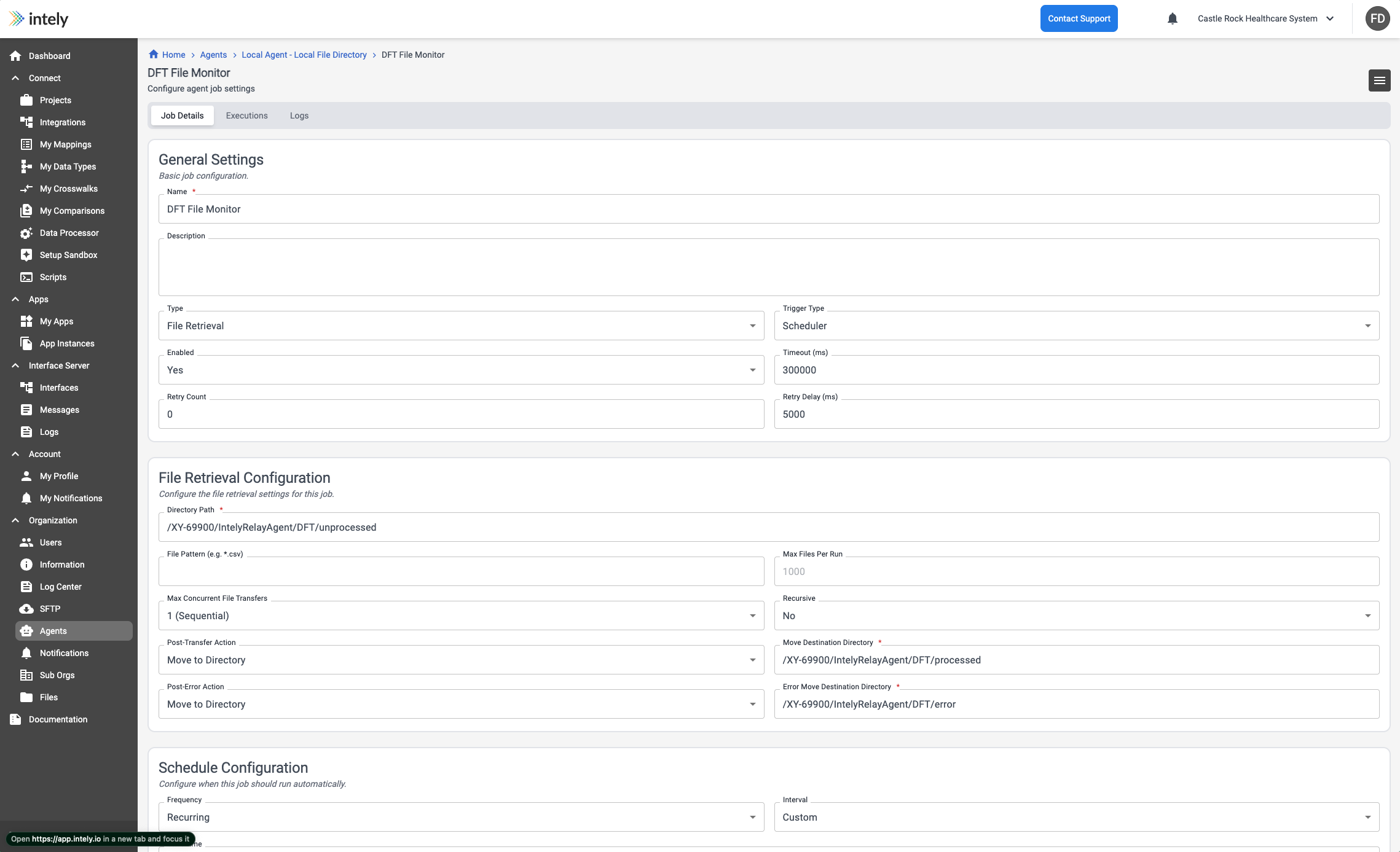
File Retrieval
Collects files from a directory on the agent machine.
- Directory path and an optional file pattern (e.g.
*.csv) - Recursive — include subdirectories (off by default)
- Max files per run — 1,000 by default
- Max concurrent transfers — 1 by default
- After a successful transfer: leave the file alone, move it to another directory, or
delete it - After a failed transfer: the same three options, configured separately
Move targets must be different directories from the source, or the job will re-collect
the same files on the next run.
Output
Results are written to the Intely File System, where integrations, data processor jobs
and downstream workflows can pick them up.
| Option | Default | Notes |
|---|---|---|
| Directory | agent-jobs/results | Where results land |
| Format | json | json or csv, for database queries. API responses use the format detected from the response content type |
| Subfolder | none | Optionally break results out by execution ID, date, or date-time |
| Prefix with execution ID | on | Keeps filenames unique across runs |
| On filename conflict | overwrite | overwrite, keep (both), or skip |
| Include manifest | on | Retains the run manifest alongside the data |
Reliability settings
Every job carries a few settings that decide how it behaves when something goes wrong:
| Setting | Notes |
|---|---|
| Enabled | Whether the job runs at all. Disabling is how you take one job out of service without touching the agent |
| Timeout | How long a run may take before it is abandoned |
| Retry Count | How many times to retry a failed run |
| Retry Delay | How long to wait between retries |
For file retrieval jobs there are also Max Files Per Run, Max Concurrent File Transfers
and Recursive, plus a Post-Transfer Action and Post-Error Action with their own
destination directories — the same move-on-success, move-on-failure pattern the Interface Server
uses for files.
Moving files out on success is what prevents the same file being collected twice.
Triggers
Manual — run on demand from the job page.
Scheduler — run once at a set time, or on a recurring schedule:
- Hourly, daily, weekly, monthly, or a custom offset ("every N minutes/hours/days/weeks")
- Restrict to specific days of the week, optionally qualified by which occurrence in the
month (1st Monday, 3rd Friday, …) - For monthly: the first, fifteenth or last of the month
- Constrain runs to a daily time window with run between start and end times
The job page shows the computed next run and the last run.
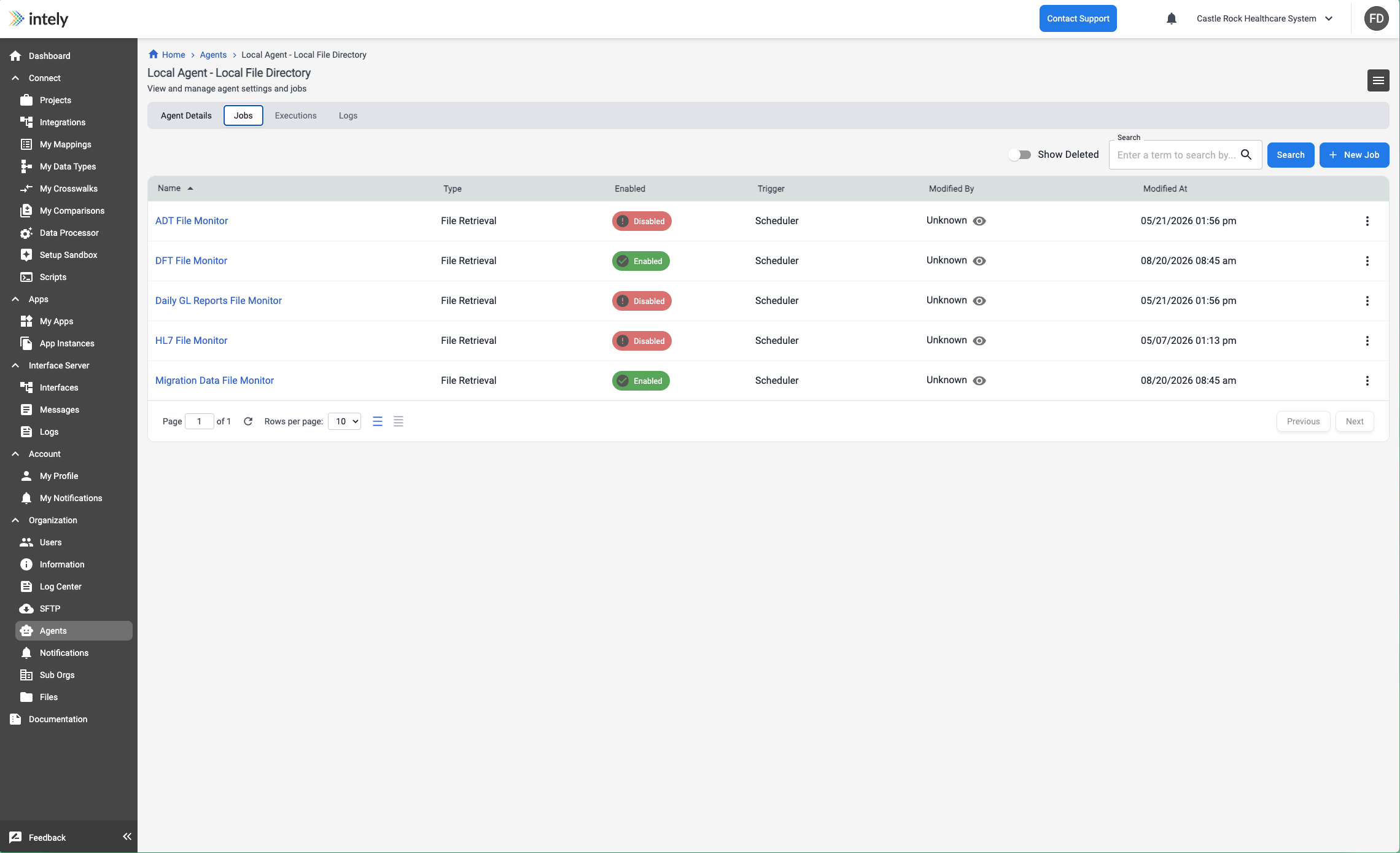
Execution statuses
| Status | Meaning |
|---|---|
| Pending | Created, waiting to be dispatched |
| Waiting | Dispatched, queued on the agent |
| Executing | Running |
| Success | Completed |
| Failed | Started and errored |
| Dispatch Failed | Never started — the agent never acknowledged the instruction |
| Terminating / User Terminated | A user requested a stop |
| System Terminated | Intely stopped it |
Failed vs. Dispatch Failed is a useful distinction when triaging: Failed means your
query or endpoint has a problem; Dispatch Failed means the agent didn't pick up the work —
check the agent's connection status and the Job Dispatch logs.
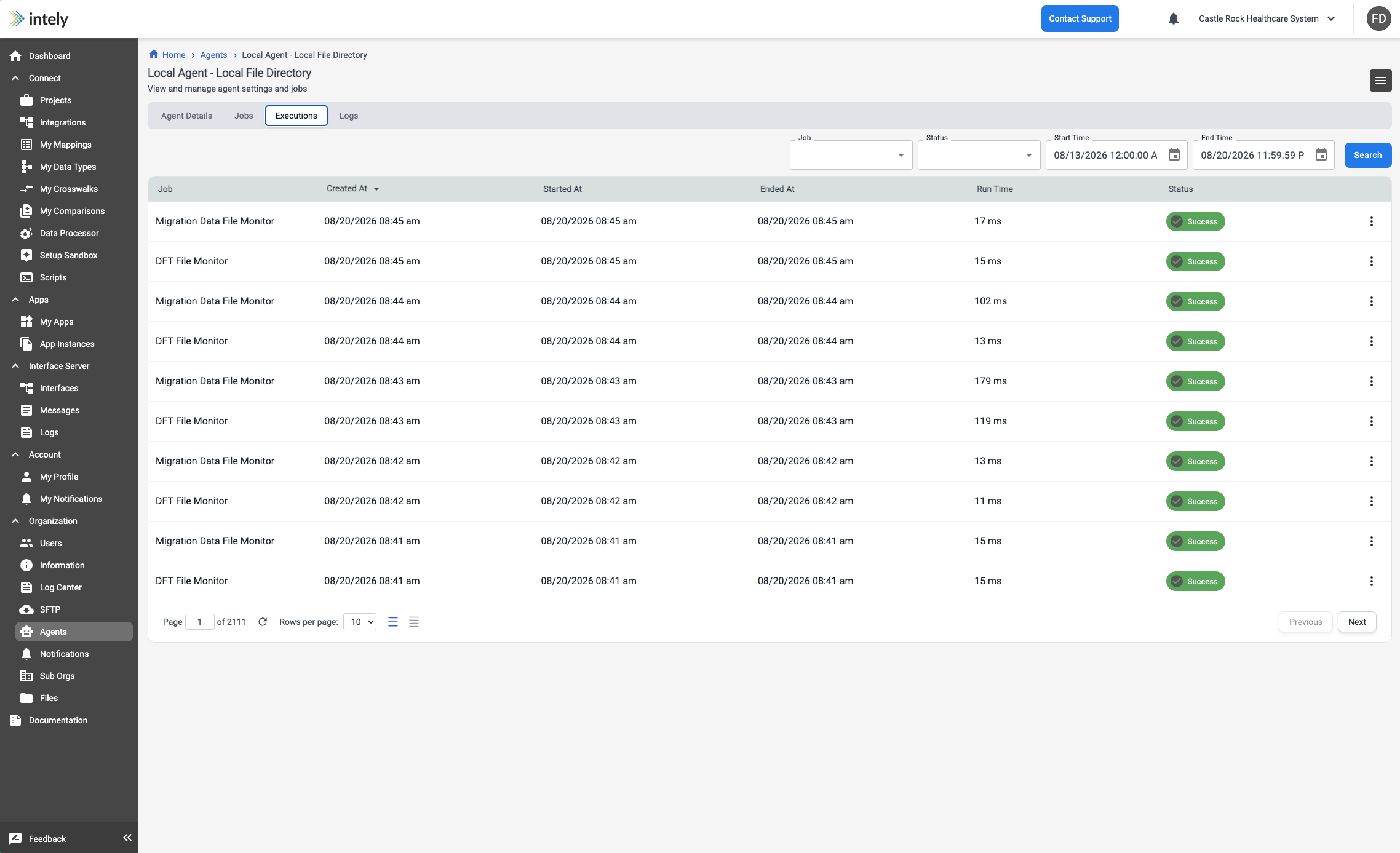
Using an agent job inside an integration
The Integration Builder has an Agent Job step. Use it to run an agent job mid-workflow
and act on the result — for example, query an internal database, then map and post the rows
to an external system. See Agent Job (step).
Getting notified
Notification rules can watch agent jobs for failure, success, and no data
(the job completed but produced nothing but a manifest). See Notifications.
Updated 2 months ago